

If you’ve heard about Instagram’s new teen safety features but found yourself wondering “where do I actually find these controls?” – you’re not alone.
After attending Meta’s Screen Smart event in Chicago, one of the biggest takeaways was this:
Instagram has added more safety tools than ever before, but most parents don’t know where to access them. That’s where Instagram’s Family Center comes in.
Here’s exactly what it is, how to access it, and what parents can (and can’t) do once it’s set up.

What Is Instagram’s Family Center?
Instagram Family Center is Instagram’s built-in hub for parental supervision tools.
According to Meta, it’s designed to help parents:
- Stay informed about their teen’s activity
- Set screen time boundaries
- Manage safety settings
👉 Think of it as a dashboard where all of Instagram’s parental tools live in one place.
Are Instagram Safety Controls Automatic?
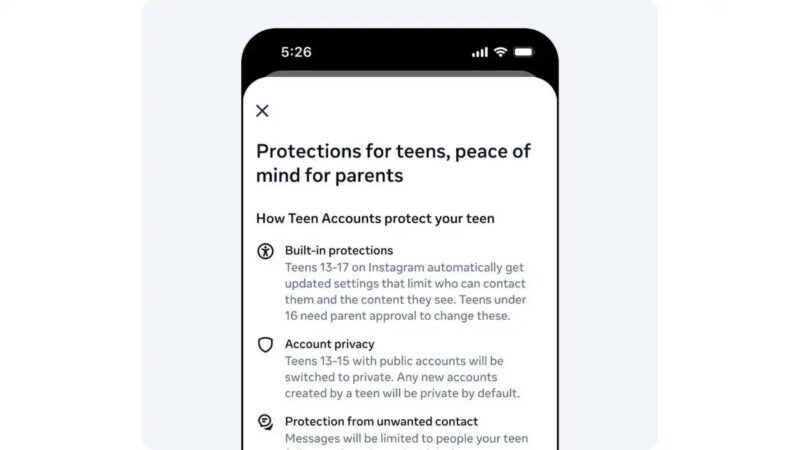
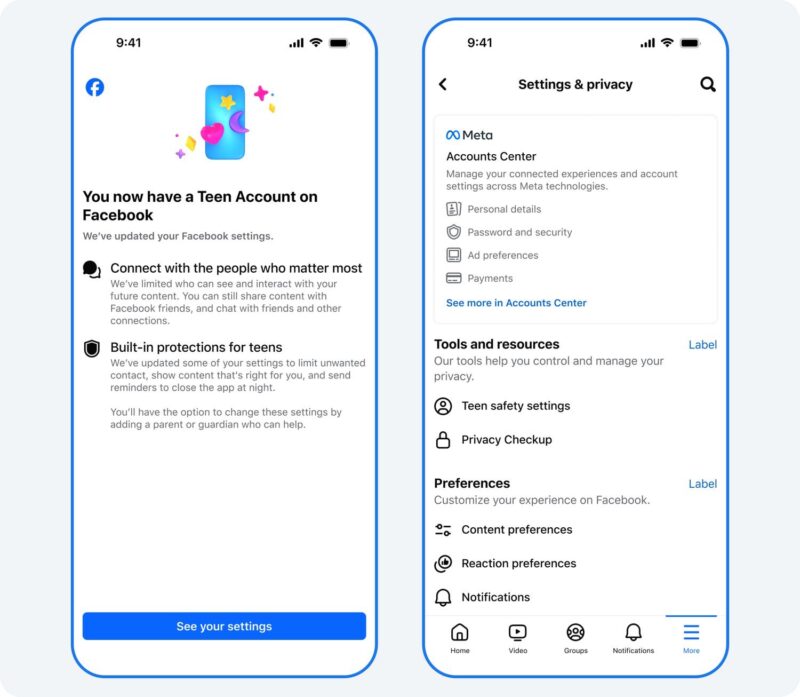
Yes – some protections are automatically applied to teen accounts, even if a parent never sets anything up.
When a teen signs up for Instagram, they are placed into a Teen Account, which includes built-in safety features like:
- Private accounts by default
- Restricted messaging from strangers
- Limits on sensitive content
- Reduced interaction from unknown users
👉 These protections are active right away and do not require any parent setup.
Important: Family Center Is Not Automatically Connected
While teen accounts provide a safer starting point, Family Center adds an extra layer of parental involvement.
👉 Parents still need to manually connect their account to their teen’s account to access supervision tools.
Without this step, you won’t be able to:
- Set screen time limits
- View activity insights
- Approve safety setting changes
How to Access Instagram Family Center (Step-by-Step)
Getting started is simple once you know where to look.
Step 1: Start From Your Teen’s Account
- Open Instagram on your teen’s device
- Go to Settings
- Tap Supervision
- Tap Invite Parent
Step 2: Accept the Invite as a Parent
- Open Instagram on your account
- Go to Settings
- Tap Family Center
- Accept your teen’s invitation
Step 3: Confirm the Connection
Once both sides approve, the accounts are linked and supervision tools are activated.
👉 You can also initiate the process from the parent side through Family Center, but your teen will still need to approve the connection.
What Parents Can See in Family Center
Once connected, parents gain visibility into key activity – without being overly invasive.
Parents can view:
- Who their teen is messaging (not the content of messages)
- How much time they spend on Instagram
- General activity insights
👉 The goal is awareness, not full monitoring.
What Parents Can Control
Family Center allows parents to set boundaries around how their teen uses Instagram.
Available controls include:
- Setting daily screen time limits
- Scheduling downtime (such as overnight hours)
- Requiring approval for changes to safety settings
These tools are designed to support healthy habits while still giving teens independence.
What Parents Can’t See (and Why That Matters)
Even with supervision turned on:
- Parents cannot read direct messages
- Parents cannot see everything their teen searches
- Parents do not have full access to the account
According to Meta, this balance is intentional – giving teens privacy while still allowing parents to stay involved.
What Parents Often Miss
After learning more at the Screen Smart event, a few things stood out as common gaps:
- You must manually connect accounts to use Family Center
- Teens have to approve supervision
- Controls won’t work if the accounts aren’t linked
👉 Simply having a Teen Account does not mean parental controls are fully set up.
Why This Matters for Parents Right Now
Social media isn’t going away, and most teens are already using platforms like Instagram.
The good news:
- Safety features are improving
- Protections are built in from the start
- Parents have more tools available
But those tools only work if you know where to find them.
Final Thoughts
Instagram’s Family Center is a helpful tool for parents who want to stay involved without overstepping.
It provides visibility, control, and a way to support your teen as they navigate social media.But like everything shared at Meta’s Screen Smart event, the message was clear:
👉 These tools are a starting point, not a replacement for communication. Understanding the platform, setting expectations, and keeping conversations open will always matter most.
If you want a full breakdown of Instagram’s teen safety features and how they work, be sure to check out our complete parent guide.

Brittany is a proud mom to two fun loving kiddos, Grayson and Audrey. With a passion for health and fitness, she’s a certified personal trainer and nutritionist who enjoys helping others lead active, enjoyable lives. When she’s not coaching clients, you can find Brittany, her husband, and her kids exploring Michigan’s vibrant scene of indoor play centers, parks, eateries, and events. Whether they’re discovering new hiking trails, celebrating local restaurant openings, or spending the afternoon at the cider mill, they’re always on the lookout for their next adventure. Brittany is passionate about sharing her family’s experiences to help other parents create lasting memories in Metro Detroit. You can follow along with her and her crew here @brittmilesxo.